




How do I apply a promo code to my order?
See below for 2 easy steps to redeem your promo code:
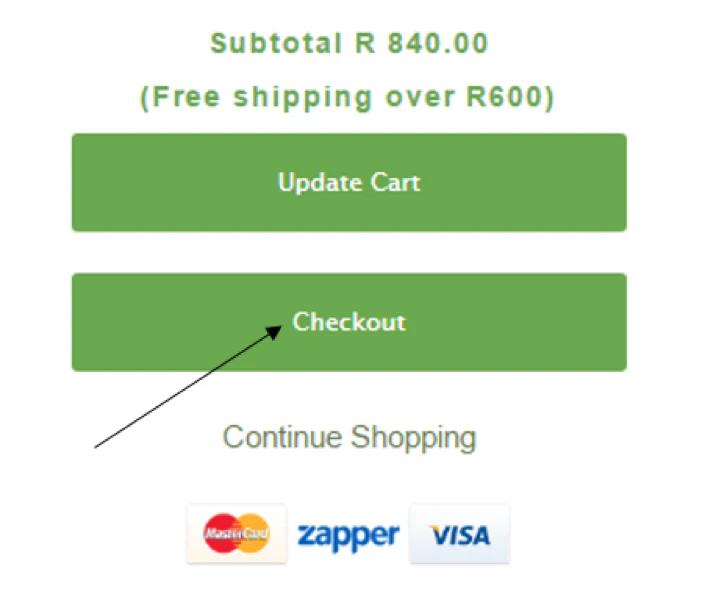
- A discount or promo code can be applied to your Shopping Cart by firstly clicking the green Checkout Button in your cart:
- This will take you to the checkout page where you can simply enter your unique Discount Code on the right of your screen where it says " DISCOUNT CODE". Then click Apply:
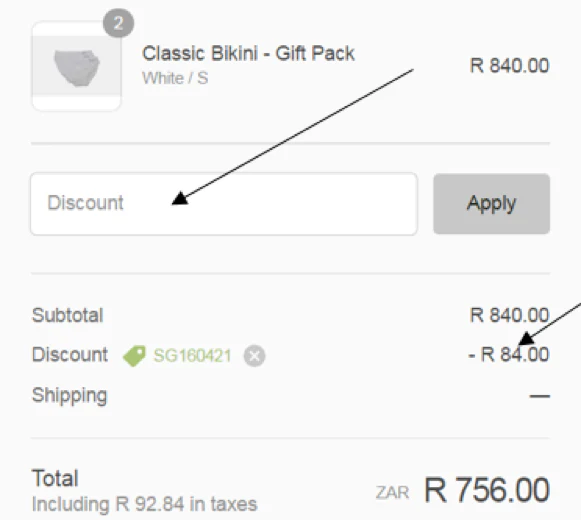
Please note: Only one reward or voucher code can be applied per purchase.